
How to Get Delta Key from Work.ink [April 2026 Guide]
Complete walkthrough to generate your free Delta Executor key via Work.ink. Follow every step with screenshots and video.
▶️ START NOW
🔊 Listen to narrated guide
If you are a Roblox enthusiast and you want to use your favorite Delta Executor to execute scripts in Roblox games, then you will need a key, which is an integral part of using this injector. Now, if you want to know how to get this key, there are different methods. We have explained other methods in our articles. One of the methods is to get this key from Work.ink, and in this article, we will explain it in detail.
In this post, we have explained the whole procedure in detail and provided you with screenshots where needed. Hopefully, after going through this tutorial, you can complete this key system process efficiently.
Why Use Work.ink for Your Delta Key
Work.ink is one of the fastest and most straightforward routes to generate a free Delta Executor key. Unlike other methods that force you through multiple ad loops and verification layers, the Work.ink flow uses a simple timer-based checkpoint system. You wait, click through two access links, and copy your key.
Developers use Work.ink because it streamlines link management and provides a clean, trackable path for key distribution. For users, this means fewer broken redirects and a more predictable experience compared to ad-heavy alternatives.
Key duration: 12–24 hours per generation.
Best for: Users who want a quick, no-installation key flow on any device with a browser.
Steps to get Delta Executor key from Work.ink
-
1. First, open any browser of your choice on your device.

Step 1 — Open your preferred browser -
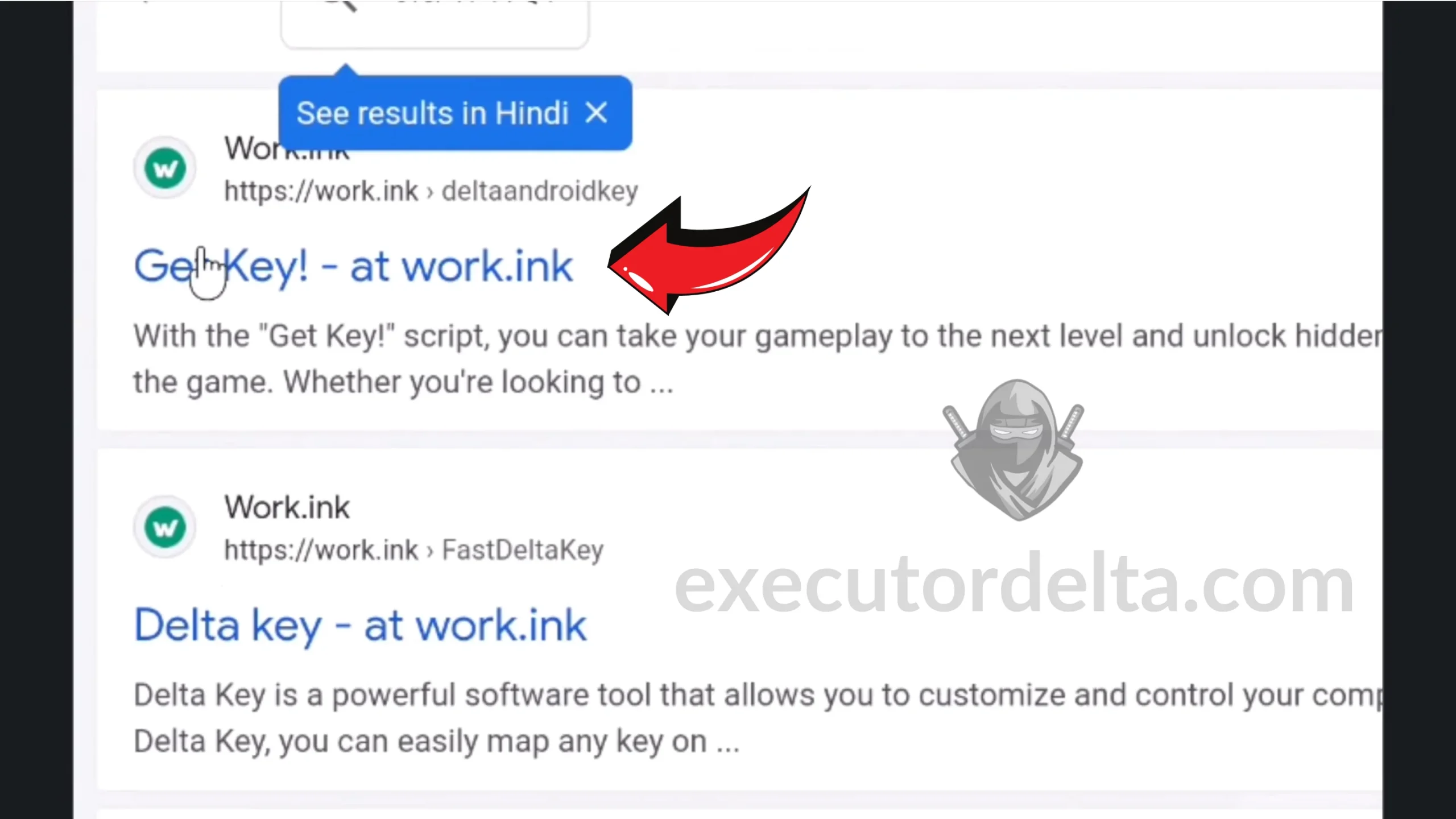
2. Then, search for “Delta key work.ink”.

Step 2 — Search for the Work.ink key page -
3. Then, you will see the title of an article saying “Get key! at work.ink”. Click on that. It will most likely appear as the first Google search result.
Step 3 — Click the first search result -
4. Once you are on the official Work.ink page, scroll down.

Step 4 — Scroll down the Work.ink page -
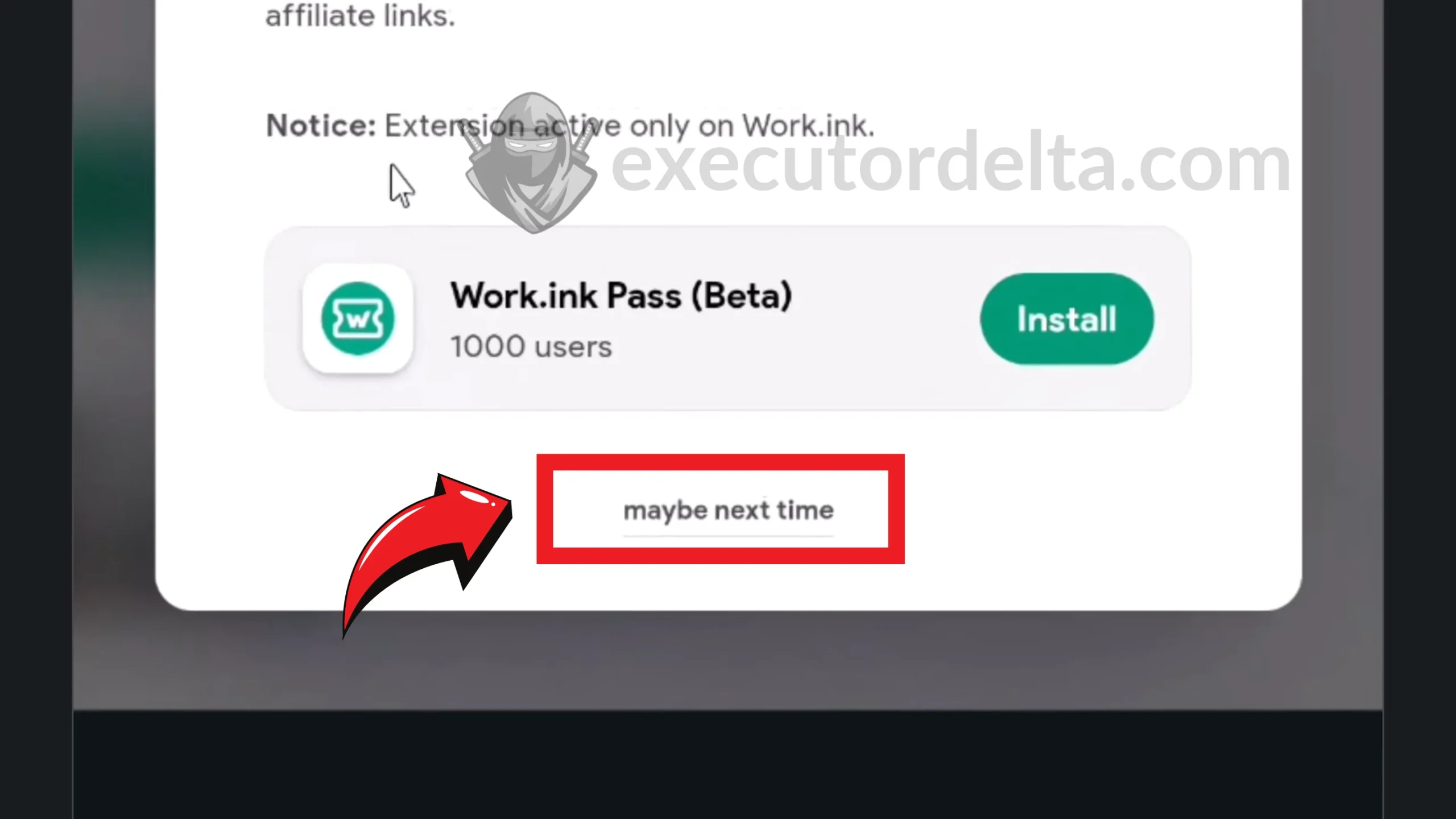
5. Wait a few seconds for the bottom of the page to become clickable. You will see an option saying “Maybe next time.” Click on it.
Step 5 — Click “Maybe next time” after the timer -
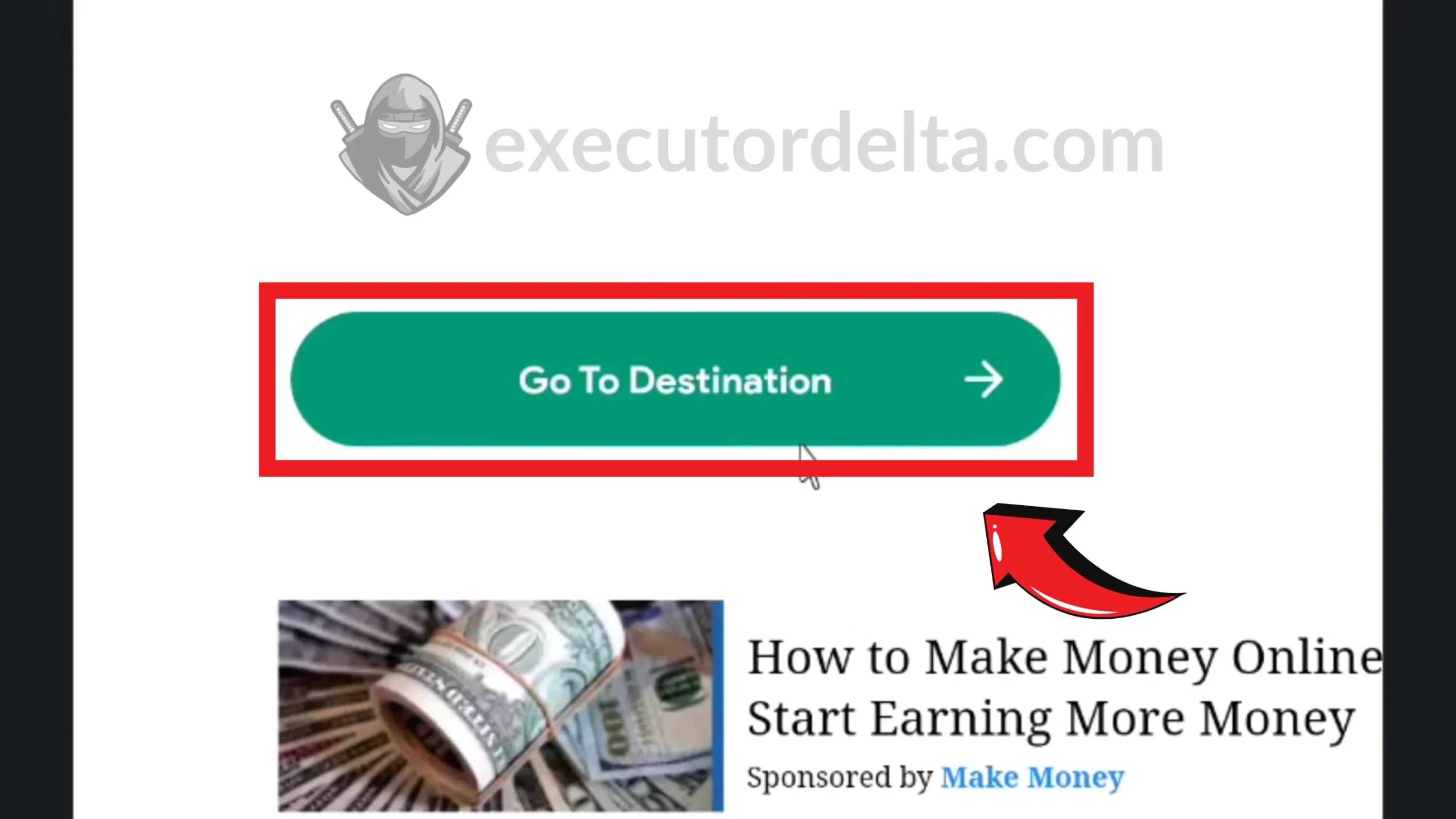
6. Then, click the “Go to Destination” button in the next window.
Step 6 — Click “Go to Destination” 
Step 6 continued — Destination page loaded -
7. You must scroll down to the bottom of this page. At the end, you will see the “Access link” option. Click on it.

Step 7 — Click the “Access link” button -
8. Now, wait ten seconds, and the system will generate the key for Delta Executor.
-
9. It will show you an “Access link” option again. Click on it again.
-
10. After clicking it, the next window will give you the option to copy the key. Click “Copy”. The key has been copied to your clipboard and is ready to use in the executor.

Step 10 — Copy your generated Delta key -
11. Open Delta Executor and paste the key into the key entry field.
-
12. Congratulations on getting your Delta key. You can now execute scripts in your favorite Roblox games.
Work.ink-Specific Troubleshooting
| Problem | Solution |
|---|---|
| The “Maybe next time” button never appears | Disable your ad blocker and refresh. Work.ink hides the button behind a timer that ad blockers sometimes break. |
| “Access link” is grayed out or unclickable | You scrolled too fast. Scroll back to the very top, then scroll down slowly to trigger the engagement timer. |
| Key says “invalid” when pasted into Delta | Work.ink keys expire after ~24 hours. If you copied the key yesterday, generate a new one. |
| Page redirects to a random ad or popup | Close the tab and reopen the original Work.ink URL from your browser history. Do not click popups. |
| Timer resets when I switch tabs | Keep the Work.ink tab active. Some mobile browsers and battery savers pause timers in background tabs. |
| “Go to Destination” button does nothing | Make sure JavaScript is enabled in your browser. If using a privacy browser, temporarily disable strict mode. |
Frequently Asked Questions (FAQs)
Looking for Other Methods
If you prefer a different key generation route, check out our other guides:
Conclusion
In this article, we have explained the entire process for getting the Delta key through Work.ink. You can use various options to get the Delta key. In our opinion, one of the most accessible options is to get this code from Work.ink. We have explained the whole process with screenshots and video. You can only use one key per session. Please do not give your key to any other user, as it will be invalidated for your own use. You can use this key for a period of 12 to 24 hours. Enjoy a fantastic scripting experience. If you find any issues regarding this process, you can let us know in our feedback section.