Delta executor Roblox upgrade error fix [April 2026]
▶️ FIX NOW
🔊 Listen to narrated guide
Delta is, without any doubt, one of the best script executors in the market right now. People use it to execute their favourite scripts in the Roblox games. But you must know that, like any other executor, this tool has some issues and glitches. Most of the time, Delta works smoothly, but sometimes, you may need some help with it.
One of the errors that people see in different Roblox executors is the ‘Roblox upgrade’ issue. You will see this issue while using Delta Executor, too. People on various social media platforms have been searching for a solution to this issue and cannot find a fix. We have written this article and will give you all the fixes you can apply so you can use this tool smoothly.
This error mainly occurs when using Delta executor on your mobile devices with Roblox mobile. Whenever you launch the Delta tool on your mobile, it will give you an error like this below;
“Roblox Upgrade- Your version of Roblox is outdated and will not work properly. We are taking you to the Google Play Store for an upgrade”.
Now, when you click on the option in the error to upgrade, you will be redirected to the Google Play Store. There, you will have to update the Roblox application.
Then, you will see that when you click on the ‘Upgrade’ button, the update process for Roblox will start. But, the main problem is that you will see that when you update to this latest version, you will not be able to use it with Delta executor. This issue arises because you have now upgraded to the official version of Roblox, and it doesn’t work with the Delta executor.
🆕 April 2026 Update: With the release of Roblox client version 2.618.614 and Delta Executor v2.716+, the upgrade error has become less frequent but still occurs for some users. The fixes below have been tested and confirmed working on the latest Delta version as of April 24, 2026.
Common Causes of Delta Executor Roblox Upgrade Errors:
| Error Type | What It Means | Why It Happens |
|---|---|---|
| Version Mismatch | Delta version doesn’t match Roblox app’s version | Your Delta version is outdated. Other reason is that Roblox got updated recently |
| Missing DLLs | Required DLL files are missing during update | During installation procedure,DLL files are missing. |
| Admin Privileges | Not enough permission to update the tool | It happens when you run software without giving it administrative permissions |
As you know, Delta Executor is unavailable on Playstore, so you can’t update this tool from there. So, you will think about how to solve all these issues.
We have written down a detailed article with different fixes for this error. These fixes are simple, and hopefully, they will solve your issues. And to know how to fix Delta Error code 280, you can go in the guide section of our website.
Solutions to fix Delta executor Upgrade error:
The main thing to note here: You have to understand that you are getting an error for the Roblox upgrade, but in reality, that error is for the Delta application’s update status. You have an old version of this tool installed on your mobile device, showing you this error. It also happens with other executors, like Fluxus, Arceus X, and Hydrogen executors. For them, too, you will have to apply nearly the same fixes that are given below.
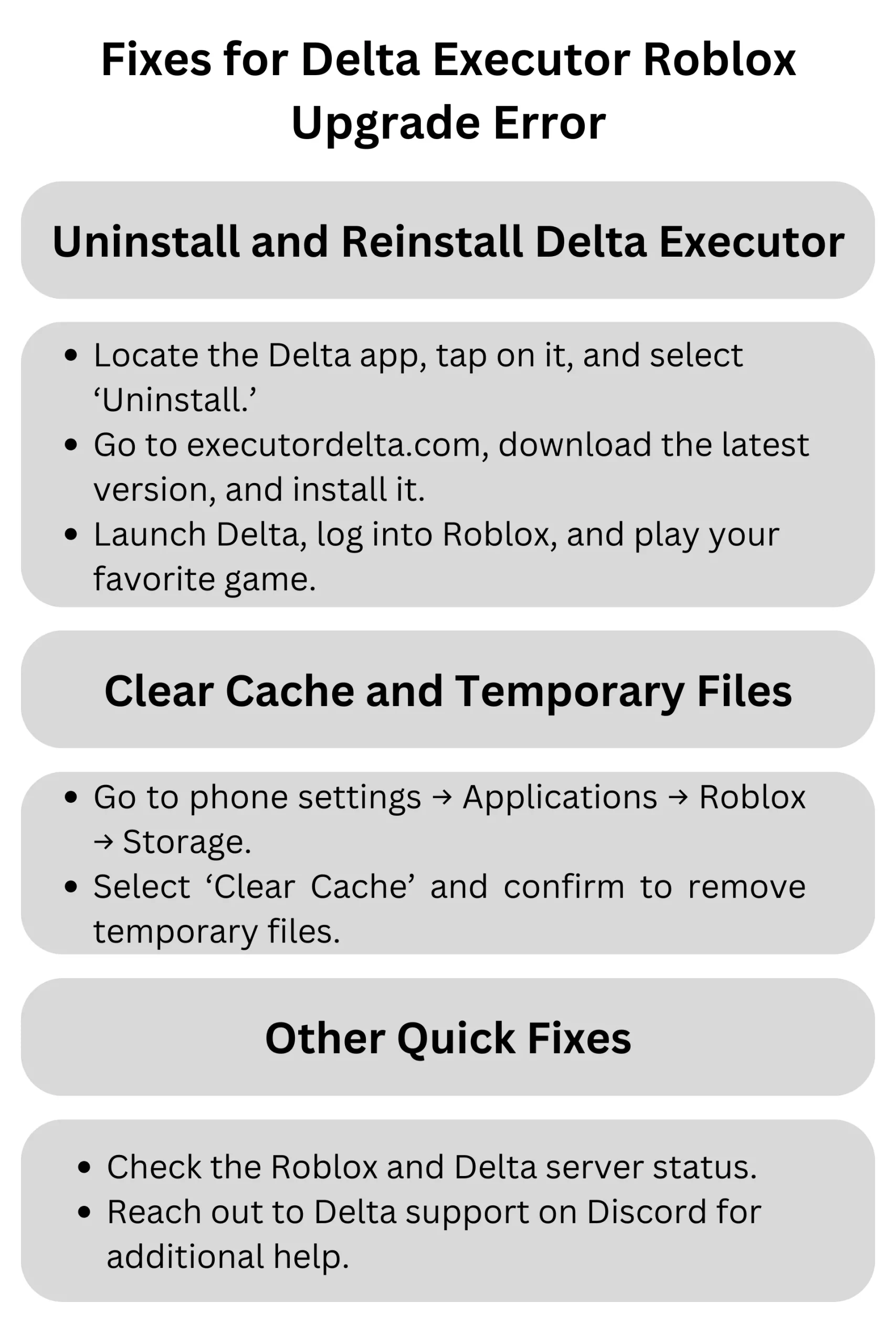
1. To solve this error, follow the steps below; these steps are related to upgrading your Delta executor to the latest version:
- Uninstall the Delta version that you are using right now.
- For this, you can locate the Delta application in your cellphone’s ‘Applications’ folder or hold on to the Delta applications icon, and you will see some different options.
- In these options, select the ‘uninstall’ option.
- In the next step, you will see a window asking you to uninstall Roblox. Click on ‘Uninstall’/.
- Now, the Delta executor has been uninstalled.
- Go to the authentic site to install the latest version of Delta executor now, executordelta.com.
- Locate the download file of this executor and click on the Download button to get it from there.
- Make sure to download the latest version; most of the time, it is on the site’s main page for the Android version. As of April 2026, the latest stable version is v2.716 (released April 12, 2026).
- Once you download this file, click on the “delta APK” file in your downloads folder.
- Now, the installation process for this file will start.
- Follow the steps given to you in the Delta installer.
- Now, when it is installed, launch this application.
- Log into Roblox by giving your email ID and password.
- Now, you can search for your favourite game.
- Click on the ‘play’ button to start the game.
- After a few seconds, you will see Delta’s main menu on your game’s user interface.
- Next, go to this tool’s ‘Script hub’ and paste your script to execute it.
- You will notice that the executor is working perfectly fine, and your error has been resolved.
2. Clear cache and temporary files for the executor:
Sometimes, the problem persists because of the cache created by the Delta executor and Roblox. Due to these outdated cache files, you will see the issues of the Roblox upgrade error. So, you will have to clear your cache. For this,
- Go to the settings folder on your cellphone.
- Locate the applications folder.
- Now, search for Roblox.
- Then, go to the storage option.
- Select the clear cache option.
- Then, click on the ‘app cache’ option and click on ‘Confirm.’
- Now, the cache has been cleared.
You can do the same process by tapping on the file and holding it for some seconds on the main screen of your device. Then, you will see the option to uninstall the file. When you tap on uninstall there, you will see an option for ‘clear cache’; click on this option, and the cache will be cleared.
Other fixes:
Basic Settings for Roblox Upgrade with Delta Executor;
| Setting | What It Does | Why It Helps | Recommended Value |
|---|---|---|---|
| Auto-Update | Your tool checks for updates itself after regular interval of time | Ensures Delta stays compatible | Let it stay ‘ON’ |
| Compatibility Mode | It lets the tool to run in older Windows mode | Avoids errors with newer Roblox versions | Good to use ‘Windows 8’ mode |
| Repair Mode | It makes sure that files issues have been fixed before upgradation process | Detects and repairs corrupted files | Run it once before the start of upgrade process |
If the issue is still not resolved, then you can try these mini-fixes;
- Temporarily turn off your antivirus, as it can interfere with Delta and can stop you from injecting your scripts into the game.
- Check the server status of Roblox to see if it is working fine or not.
- Check the status of the Delta server and whether it is up.
- Talk to the Delta support team on their Discord server; it will help you solve any issue instantly.
Error Codes and Fixes for Roblox Upgrade Issues;
| Error Code | What’s Wrong | How to Fix It |
|---|---|---|
| 0x00100 | Outdated version of Delta | Get latest version (v2.716+ as of April 2026) |
| 0x00200 | DLL files are missing during update | Download missing DLL files, or reinstall the tool again |
| 0x00300 | Access denied to the tool | Give admin permissions to the tool before upgrading |
Frequently Asked Questions (FAQs)
Conclusion:
After these two fixes, your issue will be resolved. Now, you can enjoy your favorite games in this executor and inject your scripts easily without getting any errors. Whenever Roblox gets updated, the team at Delta tries to fix the issues, and they try to release the latest version so that the tool stays compatible with the Roblox games. Users must be given administrative privileges while downloading and installing this tool to install the files correctly. After reading this article, you can fix this issue when your tool gives you a Roblox upgrade error. Try using the fixes we have provided in this article, and you will be able to enjoy your favorite script executor again with more ease and better performance.
✅ Article last updated: April 24, 2026. All fixes have been verified with Delta Executor v2.716 and Roblox client version 2.618.614. If you continue to experience upgrade errors, please visit our Discord server for personalized assistance.

![Delta executor Not injecting problem and Injection failed issues solved[February 2026]](https://executordelta.com/wp-content/uploads/2024/12/Delta-executor-Not-injecting-problem-and-Injection-failed-issues-solved-2048x1152-1-768x432.webp "Delta executor Not injecting problem and Injection failed issues solved[February 2026] 11")